> For the complete documentation index, see [llms.txt](https://docs.silkline.ai/llms.txt). Markdown versions of documentation pages are available by appending `.md` to page URLs; this page is available as [Markdown](https://docs.silkline.ai/administration-tools.md).

# Administration Tools

Permission-gated tools for keeping your organization's data clean — bulk edit or delete records with data cleaning mode, and combine duplicates with the merge tool

Silkline includes a set of administration tools for keeping your organization's master data clean. They are aimed at administrators and data owners rather than everyday users, and each tool is gated behind its own permission — users without the permission never see the tool.

<table data-view="cards"><thead><tr><th></th><th></th></tr></thead><tbody><tr><td><a href="/administration-tools/data-cleaning-mode.md"><strong>Data Cleaning Mode</strong></a></td><td>Select rows on a table and apply a field change to all of them at once, or permanently delete them.</td></tr><tr><td><a href="/administration-tools/merging-records.md"><strong>Merging Duplicate Records</strong></a></td><td>Combine two records into one — choose which values and related data survive, and let Silkline scan for likely duplicates.</td></tr></tbody></table>

## The Admin tools button

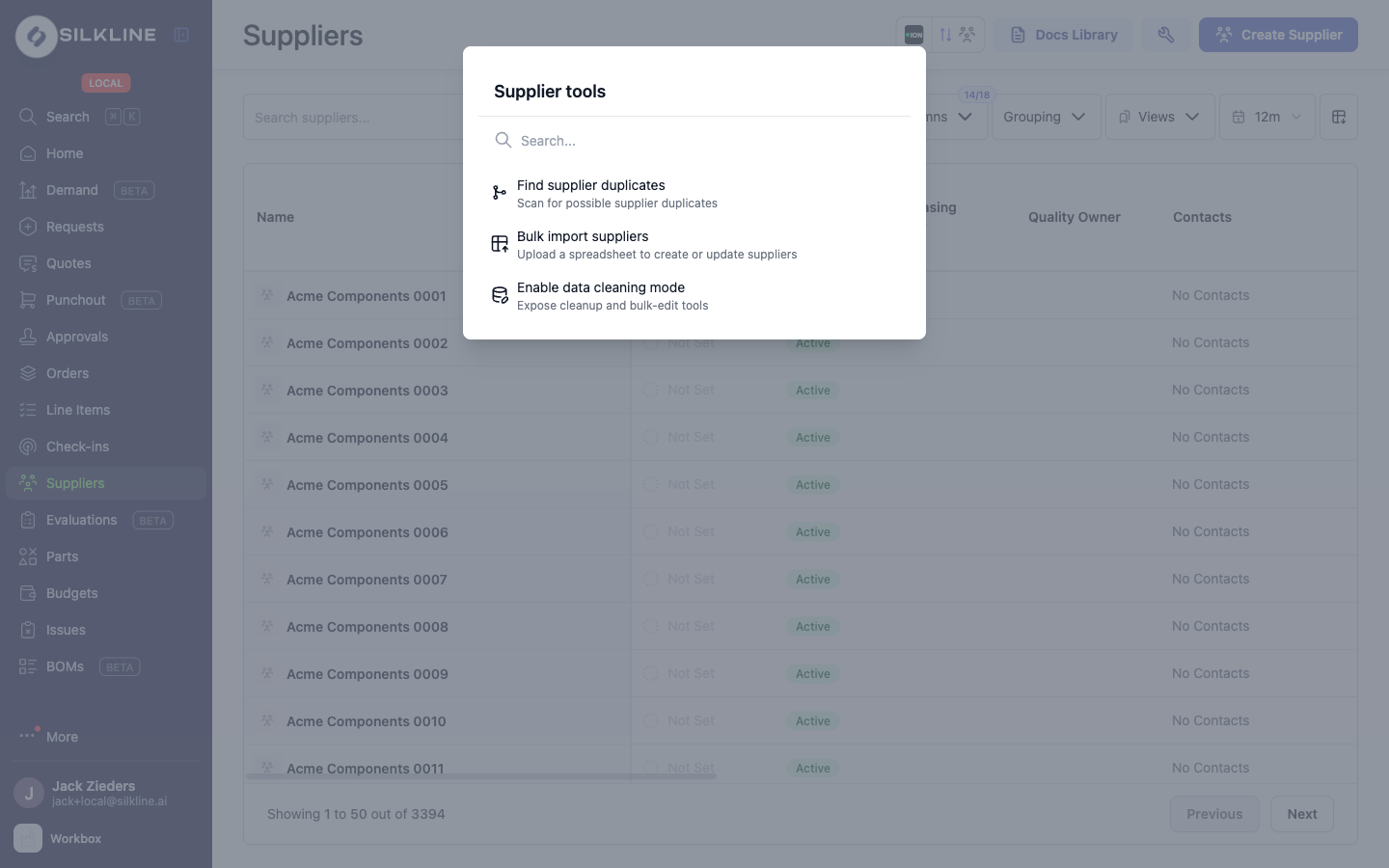
Pages that offer administration tools show a wrench button in the top-right action bar. Clicking it opens the page's tools palette — for example, the Suppliers page offers **Find supplier duplicates**, **Bulk import suppliers**, and **Enable data cleaning mode**.

<figure><img src="https://2684497859-files.gitbook.io/~/files/v0/b/gitbook-x-prod.appspot.com/o/spaces%2FwPsevXC0g5kNMF7GTyPN%2Fuploads%2Fgit-blob-9de80bc49bb95473fe3fd75ecc13528f73880d73%2Fadmin-tools-palette.png?alt=media" alt="The Supplier tools palette opened from the Admin tools wrench button"><figcaption><p>The Admin tools palette on the Suppliers page</p></figcaption></figure>

The wrench button appears on the Suppliers, Parts, Orders, and Users & Access pages, as well as several organization settings pages (categories, quality clauses, and tags). Each page lists only the tools that apply to it, and only the tools you are permitted to run — if you have none of them, the button is hidden entirely.

## Permissions

<table><thead><tr><th width="232">Permission</th><th>What it unlocks</th></tr></thead><tbody><tr><td><strong>Data cleaning mode</strong></td><td>Turning on <a href="/administration-tools/data-cleaning-mode.md">data cleaning mode</a>, which exposes row selection with bulk edit and bulk delete on supported tables.</td></tr><tr><td><strong>Execute record merge</strong></td><td>The <a href="/administration-tools/merging-records.md">merge tool</a>: the Merge action on table selections, the duplicate scan pages, and the Merge Records page.</td></tr></tbody></table>

These permissions are never included in a role by default — they must be granted explicitly, even in organizations that do not otherwise restrict permissions by role. Reach out to the Silkline team to have them added to the appropriate roles for your organization.

{% hint style="warning" %}
Both tools change or remove data for your whole organization and bypass the usual one-record-at-a-time editing flows. Grant these permissions only to users who own data quality.
{% endhint %}
